Outreach, promotions, analytics, and reporting how-to
This chapter explains organizer messaging, audience review, moderation, promotion asset packages and campaign pages, ESP integration, revenue and budget views, analytics, traffic, reports, tokenized report sharing, and the activity feed. It does not authorize an external send, ad spend, or provider account change.
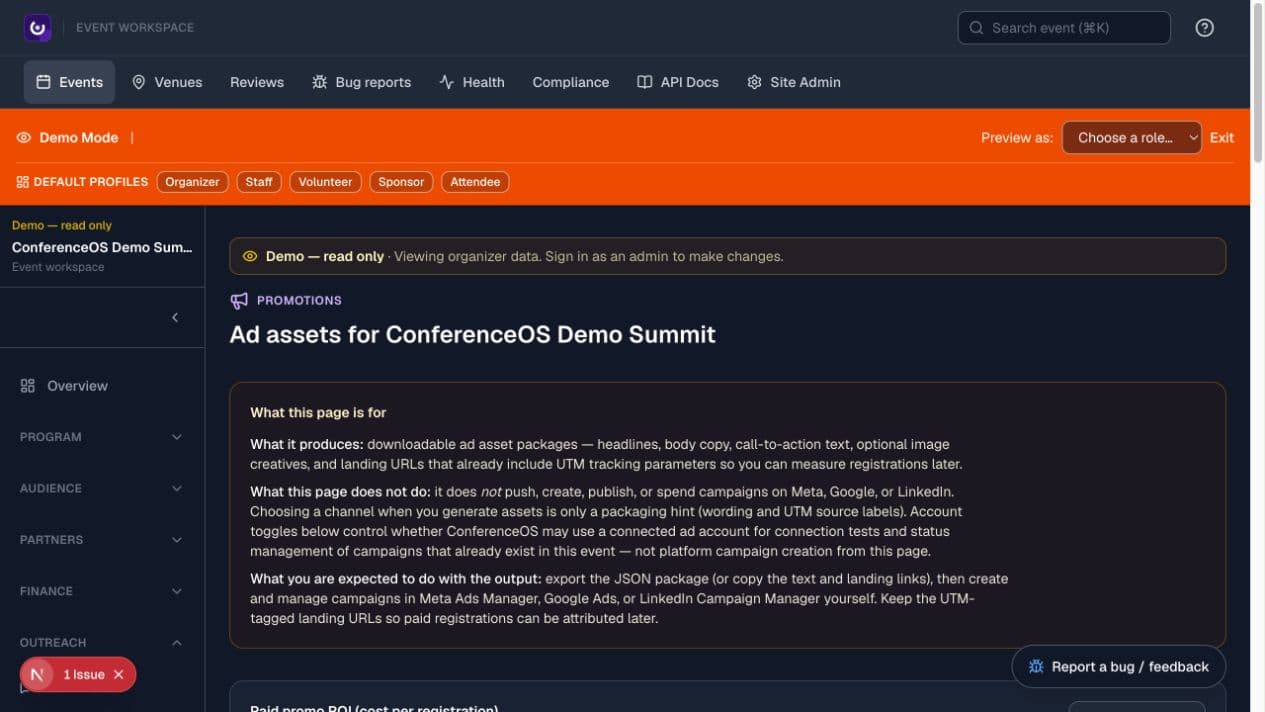
Figure 1 — Promotion operations package campaign assets and attributed links; the ad platform still owns campaign creation and spend.
Understand the outreach boundaries
ConferenceOS separates four related jobs:
- Messaging drafts, targets, schedules, and sends event communication when an email or SMS provider is configured.
- Support handles inbound operational conversations.
- Promotions creates reusable copy, assets, campaign landing pages, and UTM-tagged links.
- Reports and analytics summarize ConferenceOS and approved provider data.
A generated asset is not a sent message. A saved broadcast is not delivery evidence. A campaign package is not an ad campaign. A dashboard number is only as complete as its source data and date range.
Draft an email or SMS broadcast
- Open Outreach → Messaging for the correct event.
- Choose email or SMS only when the corresponding provider is configured.
- Select a saved audience or build the narrowest intended segment.
- Preview the audience label and count; inspect representative recipients.
- Write or select the template, subject, sender identity, and body.
- Preview rendered links, personalization, opt-out behavior, and mobile layout.
- Save the message as a draft.
Expected result: the draft stores content and audience rules without sending until the explicit send or schedule action is confirmed.
Test, schedule, and send a broadcast
External communication is an outward-facing act. Use the event's approved operator and recipient process.
- Send a test to an approved address or number.
- Verify sender, subject, formatting, links, images, timezone, and preference behavior in the received message.
- Reopen the draft and reconfirm the event, audience, count, channel, and content immediately before send.
- Choose the approved send time or send-now action.
- Confirm once; do not double-submit while the durable job is queued.
- Read back broadcast status and provider delivery/failure evidence.
- Follow up on failures through the intended operational workflow.
A queue acknowledgement means the job was accepted for processing, not that every recipient received or opened the message.
Review audience and consent before outreach
- Confirm the audience's event, source, segment criteria, and current count.
- Exclude withdrawn, suppressed, bounced, or otherwise ineligible recipients as required by the event and provider.
- Distinguish operational communication from marketing permission.
- Check that sponsor sharing and attendee-directory choices are not being repurposed as unrelated broadcast consent.
- Export only when the destination and purpose are approved.
Never use a CRM import, sponsor relationship, ticket purchase, or volunteer signup as automatic blanket consent for all outreach.
Moderate public content and conversations
Open Outreach → Moderation when the event exposes reviews or other content that can require organizer action.
- Filter to the relevant event content and read enough context to understand the report or policy concern.
- Apply the event's published moderation policy consistently.
- Hide, restore, or escalate using the supported action.
- Preserve the internal reason or audit context where offered.
- Recheck the signed-out public surface.
Moderation controls visibility; it does not prove a statement true or false and should not erase evidence needed for incident response.
Create a promotion asset package
- Open Outreach → Promotions.
- Define audience, offer, channel, dates, budget owner, and success metric.
- Generate or assemble headlines, body copy, call-to-action text, optional images, and the event landing URL.
- Review factual claims, dates, pricing, policy language, brand assets, and event scope.
- Preserve UTM parameters when copying or exporting the final link.
- Download or hand off the approved package to the campaign operator.
Generated copy is a draft. ConferenceOS does not create a campaign or spend money in an ad platform merely because an asset package exists.
Create and verify a campaign landing page
- In Promotions, create a campaign page with a stable campaign slug.
- Add the approved headline, body, call to action, audience label, and event destination.
- Save and open
/events/<event-slug>/c/<campaign-slug>signed out. - Test the CTA and verify that the URL preserves intended attribution.
- Confirm the page contains no private segment definition, bearer report link, or unapproved personal data.
Expected result: the landing page is a public, event-scoped acquisition surface. It does not bypass ticket eligibility or registration rules.
Connect an ESP or campaign-status integration
- Confirm the provider is configured by the instance operator; do not paste a secret into an ordinary event field.
- Open the event's ESP or Integrations surface.
- Choose the supported account/list/audience mapping for this event.
- Test the connection using a non-destructive status or list operation.
- Compare a sample and count before enabling a sync.
- Record the direction and ownership of the sync so operators know which system is authoritative.
An account toggle permits supported connection tests or status management; it does not authorize new ad spend, pricing, audience expansion, or campaign creation.
Read revenue and budget views
Use Finance → Revenue for recorded event revenue summaries and Finance → Budget for planned/actual expense tracking.
- Confirm the event and reporting currency.
- Set the date range or category filters.
- Separate registration revenue, sponsorship revenue, refunds, discounts, fees, pipeline estimates, budget, and actual expense.
- Trace a surprising total to its underlying registration, sponsorship, or expense records.
- Export only after reconciling source data and report period.
ConferenceOS operational views are not a replacement for provider settlement, bank records, accounting policy, or financial close. Pipeline value and targets are not recognized revenue.
Read analytics and traffic
Open Overview/Analytics for event performance and Operations → Traffic for views per day, popular pages, and referrers.
- Verify event, timezone, and date range.
- Note whether a metric is based on ConferenceOS records, configured tracking, or an external provider.
- Compare registrations, attendance, traffic, acquisition attribution, and outreach delivery as separate measurements.
- Investigate sudden zeroes or spikes before sharing them.
- Record the filter and as-of time with any exported conclusion.
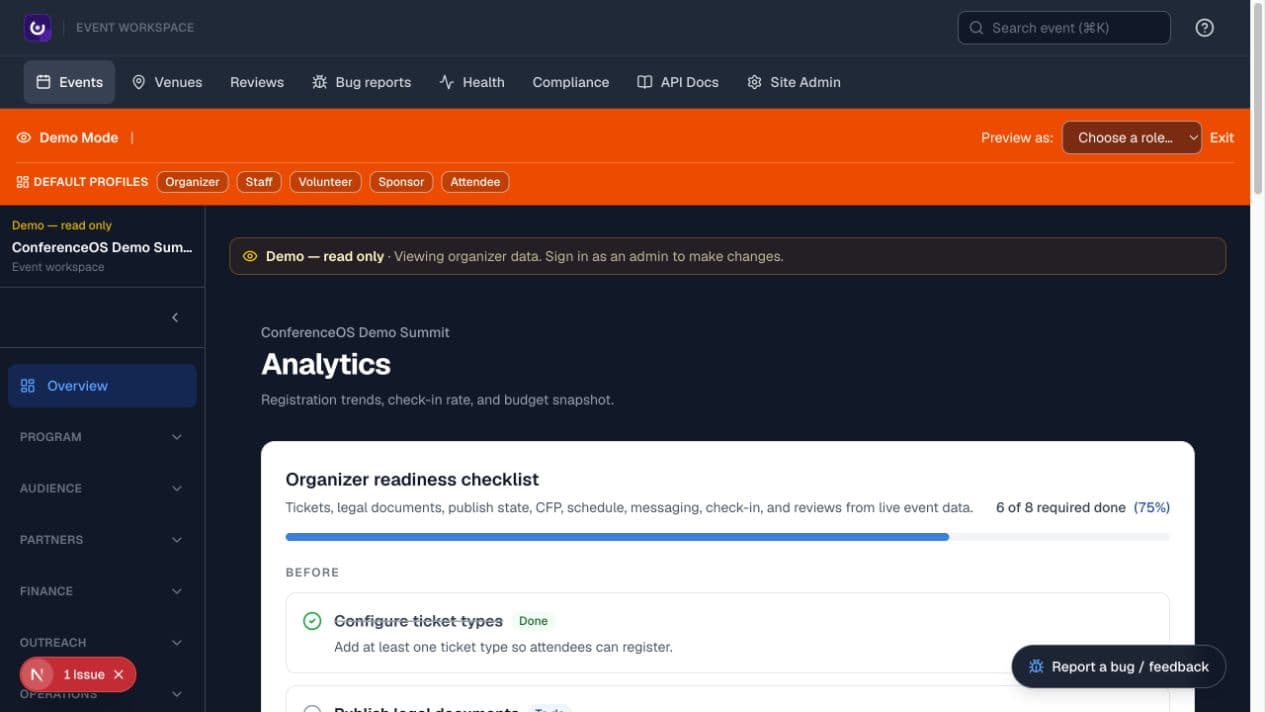
Figure 2 — Readiness and performance signals are operational summaries; each must be interpreted in its event and data-source context.
Missing provider configuration, blocked tracking, consent choices, and date boundaries can make an accurate dashboard incomplete.
Generate and export a report
- Open Operations → Reports.
- Choose the report whose definition matches the question, such as registrations, attendance, sponsors, volunteers, vendors, messaging, or attribution.
- Confirm the event, filters, date range, grouping, and column meanings.
- Preview the result and investigate unexpected blanks or totals.
- Export only the necessary format and fields.
- Store, transmit, and delete the file according to its most sensitive data.
The report is a point-in-time result. Dynamic source records can change after export, so include an as-of time when decisions depend on it.
Share a tokenized report safely
A route such as /reports/<report-token> grants access without an organizer sign-in. The complete URL is a bearer credential.
- Generate the event-scoped report link for the intended recipient and report.
- Open it in a signed-out window and confirm the event, title, date range, and exposed fields.
- Send it through an approved private channel.
- Tell the recipient not to paste it into public documents, screenshots, or unapproved AI tools.
- Revoke or replace the link if it is exposed or no longer needed.
Use the activity feed for operational awareness
- Open Operations → Activity.
- Filter registration, webinar import, media, sponsor, speaker, asset upload, and CFP-decision categories as needed.
- Open the linked organizer record to investigate; a feed row is a pointer, not the full authoritative record.
- Paginate when the incident or decision predates the first page.
- Keep personal hide preferences separate from event-wide state.
The feed reads recorded domain events. The absence of a row is not proof an operation never occurred when that feature has not yet emitted a unified event.
Troubleshoot outreach and reporting
- Email or SMS is disabled: confirm provider configuration; a visible page cannot substitute for a server credential.
- The audience count is wrong: recheck event, segment criteria, suppression, dynamic membership, and representative recipients.
- A broadcast is queued but not delivered: inspect durable job and provider evidence instead of sending the draft again.
- Attribution is missing: verify the exact UTM-tagged URL survived every redirect and that the registration completed.
- Revenue differs from the provider: compare reporting period, currency, fees, refunds, payment state, and settlement timing.
- Traffic is zero: check date range, event route, tracking configuration, consent, and whether the metric comes from server records or a provider.
- A shared report returns an error: verify the complete token, revocation, report availability, and event; do not guess or alter the token.