Promoter and campaign-operator guide
ConferenceOS separates two activities:
- a signed-in promoter's limited
/promoterentry point and private shared reports; and - organizer-side promotion operations that package ad assets, UTM-tagged landing URLs, campaign pages, and paid-promo attribution.
Neither surface automatically creates or spends an advertising campaign.
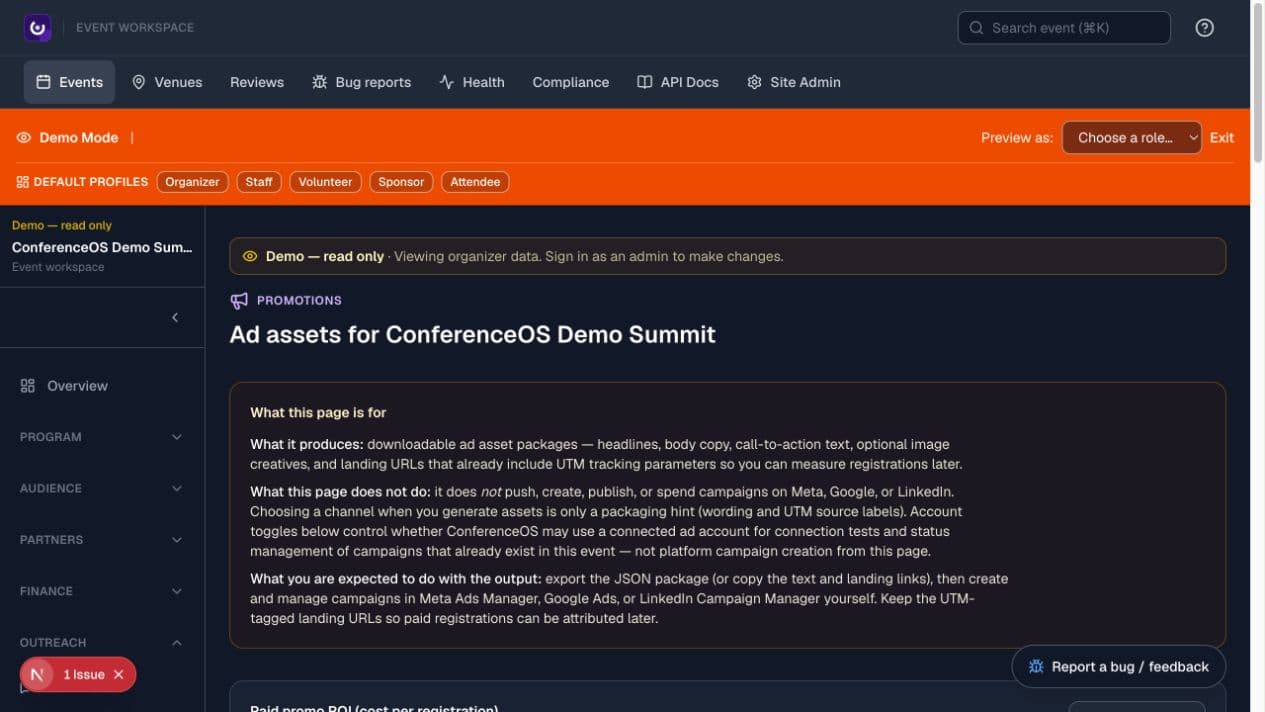
Figure 1 — The organizer promotion page states what it produces and, just as importantly, that campaign creation and ad spend remain in the ad platform.
Promoter overview
Open /promoter to confirm that the signed-in account has the promoter role. The current page is a limited entry point and may show only how many promoter reports match the account email. It is not yet a full reporting workspace, campaign manager, or ticket-sales dashboard.
Use the event organizer's exact links and instructions. The organizer controls the event, reporting period, report type, promo codes, and recipient.
Open a shared report
A shared report uses a route such as /reports/<report-token>. The token grants access without an organizer sign-in, so the complete URL is a bearer credential.
- Send it only through an approved private channel.
- Confirm event, date range, and report type before reusing the figures.
- Do not paste it into public documents, screenshots, or AI tools.
- Tell the organizer immediately if it is exposed so it can be revoked or replaced.
Prepare promotion assets
An organizer can use Outreach → Promotions to produce downloadable asset packages containing headlines, body copy, CTA text, optional images, and landing URLs with UTM parameters. Campaign landing pages live under /events/<event-slug>/c/<campaign-slug> when created.
The expected workflow is:
- Agree on audience, offer, channel, budget owner, dates, and success metric.
- Generate or assemble the asset package in ConferenceOS.
- Review claims, links, brand assets, event scope, and UTM parameters.
- Export or copy the approved package.
- Create and manage the campaign in Meta Ads Manager, Google Ads, LinkedIn Campaign Manager, or the selected provider.
- Preserve the UTM-tagged landing URL so registrations can be attributed.
- Sync or enter authorized spend data when the integration supports it, then review paid registrations and cost per registration.
ConferenceOS account toggles control whether the installation may use a connected account for supported connection tests or existing-campaign status management. They are not permission to create a campaign or spend money.
Data and compliance
Promoter access does not grant permission to reuse attendee information for unrelated marketing. Follow event consent, privacy, retention, platform, and advertising rules. Avoid audience discrimination based on personal or protected characteristics, and keep PII out of public campaign assets.
Access problems
Promoter access depends on the signed-in role and, for report association, the account email. If a report or count is missing, verify the invited account and exact URL with the organizer. Do not guess tokens, request database access, or ask for general organizer privileges as a workaround.