CFP reviewer guide
ConferenceOS supports event-scoped CFP reviewer invitations. Organizers invite reviewers by email; reviewers accept a signed magic link and score proposals in that event's blind review queue. Only organizers accept, decline, or waitlist a talk.
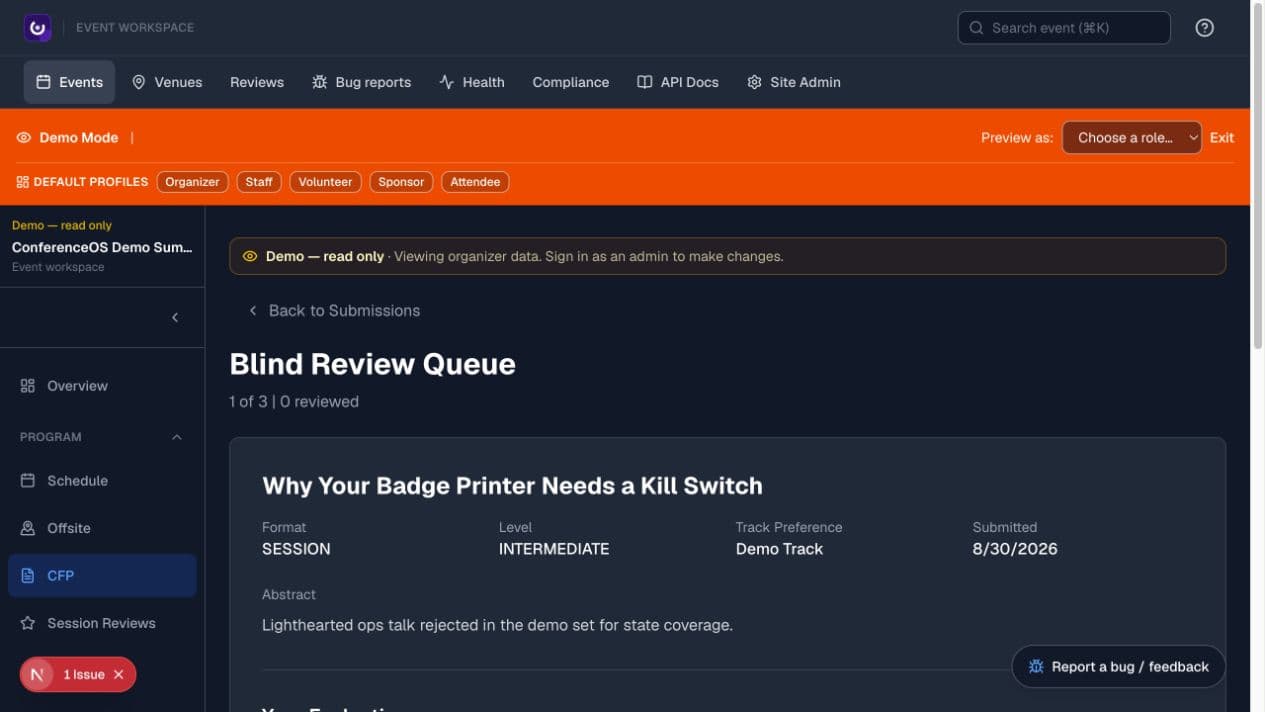
Figure 1 — Organizer Demo Mode previews proposal content and the configured rubric without exposing submitter identity; invited reviewers use the narrower reviewer entry point described below.
Accept an invitation
- Open Open review queue in the organizer's invitation email.
- Confirm the event and expected organizer before continuing.
- The signed token is expiring, single-use, and personal. Claiming it creates a short-lived browser session scoped to that event.
- You land on
/events/<event-slug>/reviewerwith the open queue. - When the organizer requires a persistent account, sign in using the invited email so the assignment can be matched correctly.
Do not forward the link. If it is expired, revoked, exposed, or already used, ask the organizer to re-invite you from CFP → Reviewers.
Reviewer overview
- Event queue:
/events/<event-slug>/reviewer - Multi-event assignment portal for signed-in reviewers:
/reviewer
Access to one event does not grant access to another. A reviewer assignment does not grant the organizer workspace.
Score a proposal
- Read the complete proposal before scoring.
- Apply the organizer's rubric consistently. The standard form can ask about relevance, clarity, speaker credibility, and overall quality.
- Put only review-relevant information in notes.
- Save the score once and verify progress before moving to the next proposal.
- Contact the organizer if a score was submitted in error.
Do not create another account to evade duplicate-score protection. Never copy unpublished proposal content into a public channel or an unapproved external tool.
Conflicts of interest
Recuse when you know the submitter, share an organization or close relationship, co-authored related work, or have another conflict that could affect impartial review.
- Open the proposal.
- Choose Recuse from this proposal and optionally give a short reason.
- Confirm the recused state; the score form is hidden for that proposal.
Recusal prevents a new score and removes a prior score from organizer aggregates. Other reviewers do not see the reason. Organizers can see the recusal and may clear a mistaken recusal with an audit note. Reviewers cannot un-recuse themselves.
Confidentiality
Treat unpublished proposals, scores, notes, recusal reasons, committee discussion, and decisions as confidential. Public speaker and schedule pages contain only information the organizer has chosen to publish.
Access problems
- Expired or revoked link: ask for a fresh invitation.
- Already-used link: reopen the event reviewer route if the session remains active, otherwise request a new invitation.
- Signed in but no queue: confirm that the organizer assigned the same email and has not removed the reviewer.
- Wrong event: stop and ask the organizer; do not score through a link for a different event.
Do not request broader organizer permissions as a workaround.