Volunteer guide
Events can publish volunteer opportunities at /events/<event-slug>/volunteers. The organizer defines eligibility, benefits, deadlines, locations, shift times, and follow-up.
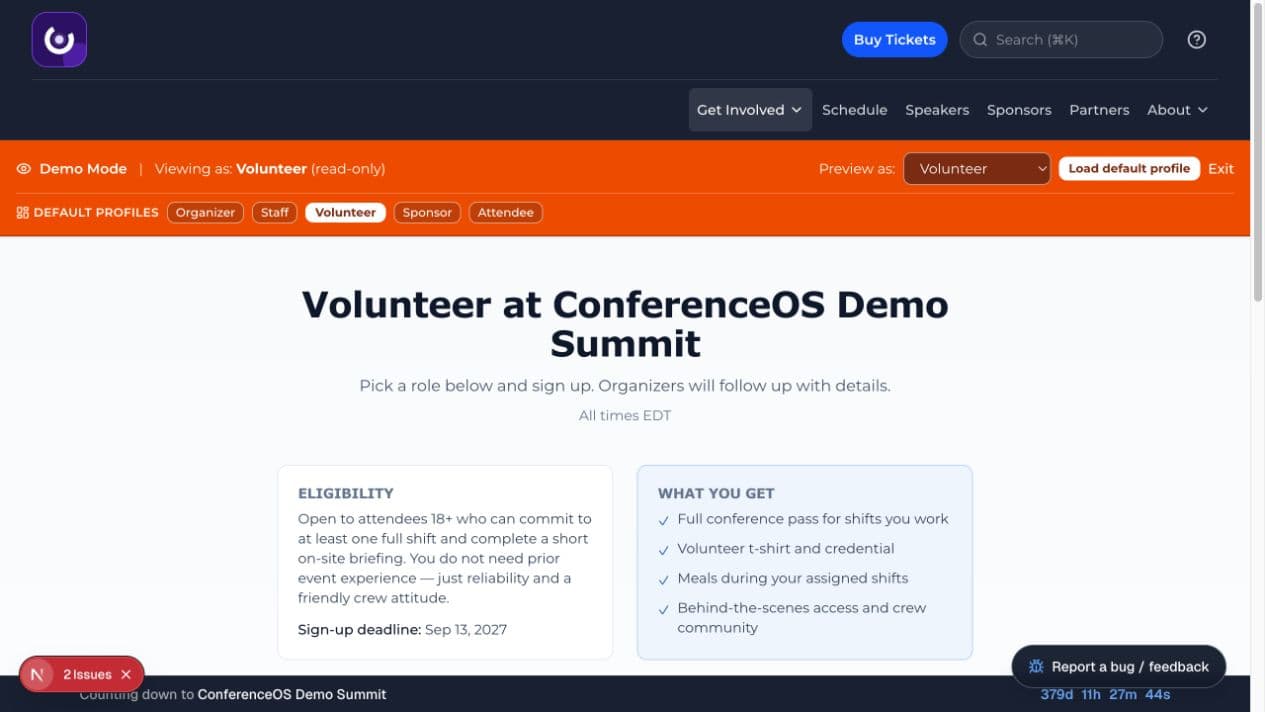
Figure 1 — A public volunteer page explains eligibility and benefits before showing open needs and the signup form.
Sign up
- Open the volunteer page from the event site.
- Read eligibility, benefits, the signup deadline, shift time, location, and remaining capacity.
- Choose one volunteer need and enter accurate contact information.
- Add only operationally relevant notes, such as an availability constraint.
- Submit once and keep the confirmation supplied by the event.
A signup is a request, not proof of assignment, admission, or a complimentary ticket. Wait for the organizer's confirmation and instructions.
Prepare for the shift
- Confirm the event timezone, arrival time, meeting point, dress requirements, and onsite lead.
- Tell the organizer promptly if your availability changes.
- Complete any briefing required for check-in, badge handling, accessibility, sponsor support, or safety duties.
- Use only the staff or volunteer access specifically assigned to you.
Handling attendee information
Some volunteer jobs may expose names, registration state, badges, or contact details. Use that information only for the assigned event task, do not copy it, and ask a staff lead to handle disputes or corrections.
Demo Mode
The volunteer role opens the real public volunteer page with fictional data and a read-only banner. Form controls may be visible, but demo-event mutation guards prevent a real signup.