ConferenceOS user handbook
ConferenceOS is one event operating system with several deliberately different views: public event pages, role-specific portals, the organizer workspace, and optional agent access. Start with the guide for the job you are doing.
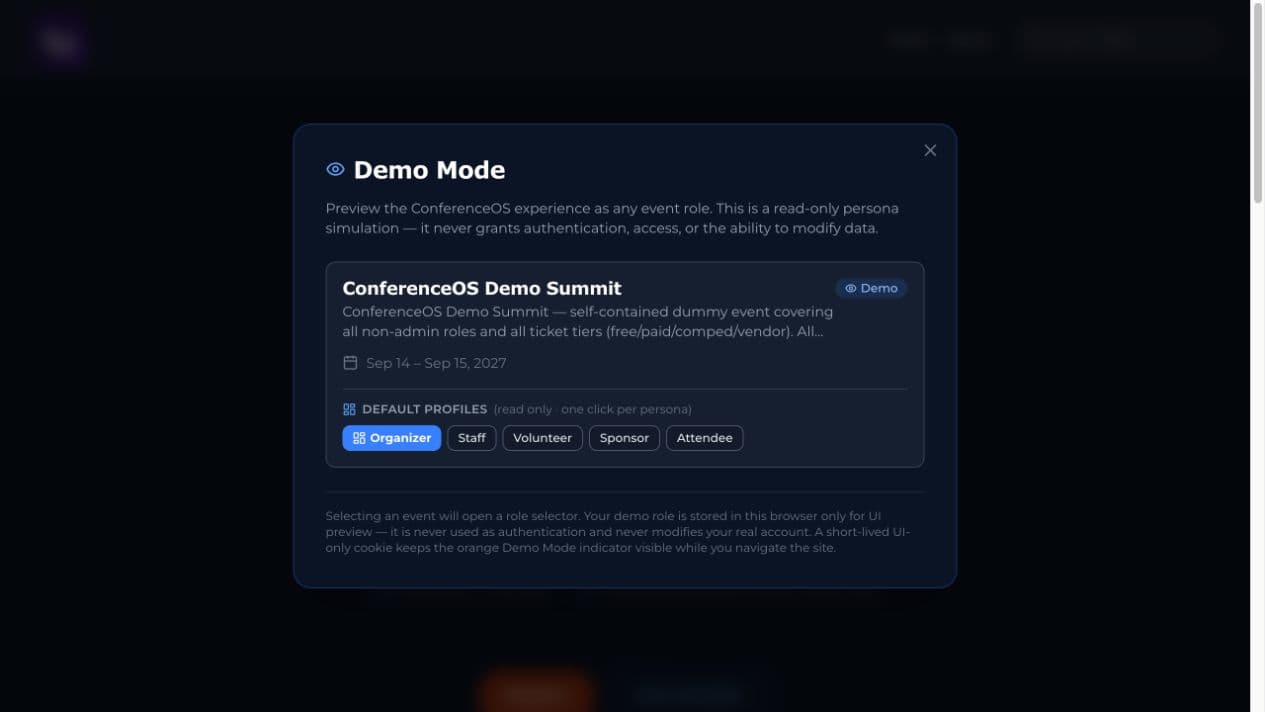
Figure 1 — Demo Mode lets evaluators open a fictional event as a role without creating a login or receiving write access.
Choose your guide
| Role or task | Start here | Typical entry point | Access model |
|---|---|---|---|
| Event owner or organizer | Organizer guide | /organizer/events | Signed-in admin or event member with event-management permission |
| Attendee | Attendee guide | /events/<event-slug> | Public pages; account required only for account-specific features |
| Speaker | Speaker guide | /events/<event-slug>/cfp | Public CFP submission; organizer controls decisions and publishing |
| Past attendee or speaker | We added you from a past event | /profile | Signed-in account; records link by verified email |
| CFP reviewer | Reviewer guide | /events/<event-slug>/reviewer | Event-scoped invitation or signed-in reviewer assignment |
| Sponsor | Sponsor guide | Organizer-supplied sponsor portal link | Event-specific sponsor association |
| Check-in staff | Staff guide | /checkin | Signed-in checkin role or admin |
| Volunteer | Volunteer guide | /events/<event-slug>/volunteers | Public signup; organizer manages assignment |
| Promoter or reporting partner | Promoter guide | /promoter or private report link | Signed-in promoter role and/or bearer-token report link |
| Agent operator | Running your conference with an AI agent | /api/mcp | Role-filtered MCP principal; writes depend on assigned MCP role |
| Instance operator | Self-hosting guide | Deployment and database consoles | Infrastructure owner; production changes remain explicitly controlled |
Complete organizer feature how-tos
The role guides explain the journey from one person's point of view. Use these task chapters when you need the full organizer procedure, expected result, safety boundary, and troubleshooting for a feature area.
| Feature area | Complete how-to | Includes |
|---|---|---|
| Event setup and publishing | Event setup and publishing | Event creation, settings, branding, public sections, navigation, venue, tickets, policies, domains, tracking, embeds, and signed-out launch checks |
| Program and content | Program, CFP, and content | CFP, reviewer invitations and recusals, decisions, schedule, offsite events, speaker cards, virtual sessions, reviews, pull quotes, and recap |
| Audience and event day | Audience, registration, and event day | Tickets, registration, discount codes, invites, segments, check-in, attendance, scholarships, volunteers, media, and media partners |
| Relationships and service | CRM, sponsors, partners, vendors, and support | CRM search/import/collisions, notes/tasks/tags, sponsorship pipeline and fulfillment, partners, vendors, support queues, mailbox routing, and transfers |
| Outreach and measurement | Outreach, promotions, analytics, and reporting | Email/SMS, audience and consent checks, moderation, promotion assets, landing pages, ESP, revenue, budget, analytics, traffic, reports, and activity |
| Operations and administration | Operations, projects, integrations, and administration | Readiness, projects, navigation, integrations, CE, data requests, permissions, Demo Mode, agents, handoff, and event closeout |
| Users and roles | Users and roles | Site admins, event owners, admins, and reviewers, MCP access, adding organizers before they sign up, and removing access |
The product in one lifecycle
- Prepare. The organizer creates an event, configures branding, venue, policies, tickets, integrations, and the public event site.
- Build the program. Speakers submit proposals, reviewers score them, and organizers make decisions and publish the schedule.
- Grow attendance and partnerships. Attendees register; organizers manage CRM records, campaigns, sponsors, volunteers, messages, and support work.
- Operate onsite or online. Staff check attendees in, organizers monitor readiness and reports, and virtual sessions link to the configured provider.
- Close the loop. Organizers reconcile attendance, reviews, sponsor benefits, reports, recordings, and the public recap.
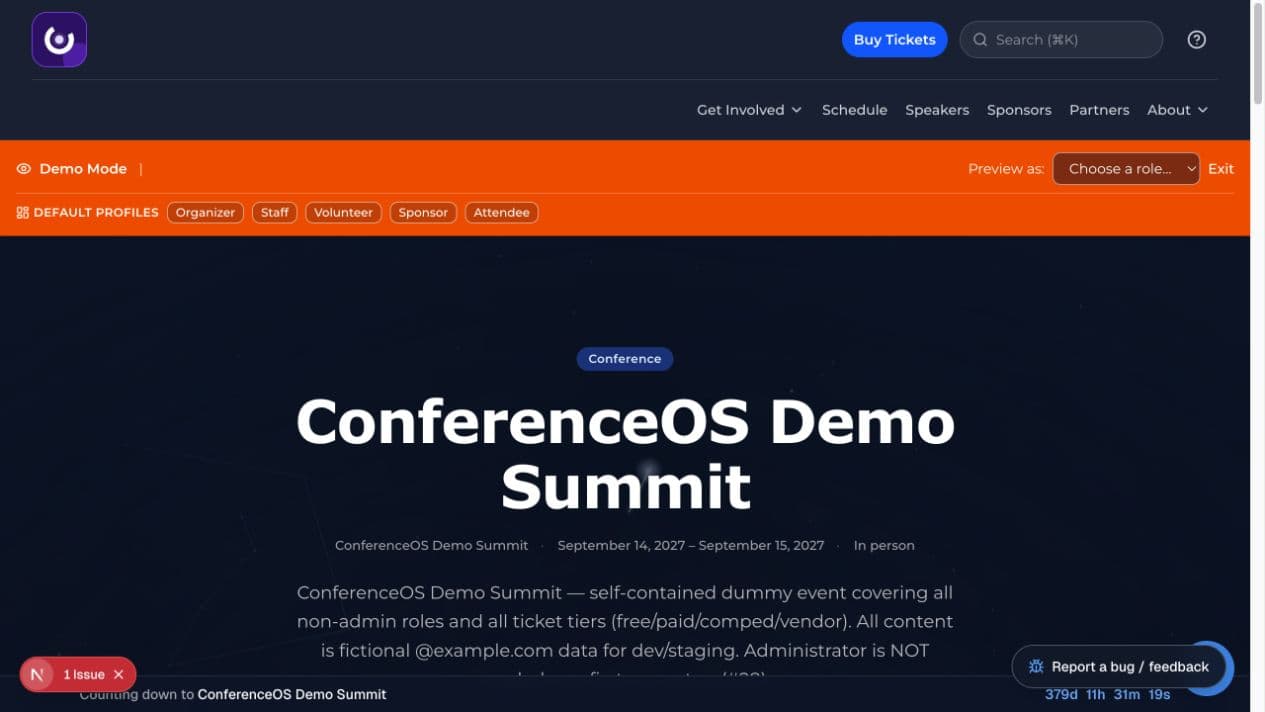
Figure 2 — A published event page is the public hub for registration, schedule, speakers, sponsors, policies, and participation paths.
Routes and event scope
Public event routes live under /events/<event-slug>. Organizer routes live under /organizer/events/<event-slug>. Replace <event-slug> with the slug in the event URL; do not copy an identifier from another event.
ConferenceOS is multi-event. A person, organization, or account may be known across events, but registrations, sponsor assignments, schedules, reports, and operational work remain event-scoped unless a screen explicitly says it is a cross-event portfolio view.
Demo Mode
Append ?demo=1 to the site root on an installation that has a demo event. The role picker uses fictional, allowlisted data and a short-lived browser indicator. It does not create a login, grant authorization, or permit writes.
- Organizer previews event tools in read-only mode.
- Staff opens the check-in event picker.
- Volunteer opens the event's volunteer opportunities.
- Sponsor opens a representative fictional sponsor portal.
- Attendee points at the real attendee home; account-specific pages still require a real authenticated account.
Demo Mode covers event-scoped preview surfaces. Site administration and some sensitive event pages require a real administrator sign-in, and the role picker does not replace the documented Speaker, Reviewer, or Promoter entry points. Buttons may remain visible so the event interface can be evaluated, but server guards reject changes to demo events. Use Exit in the orange banner to end the preview.
Common interface patterns
Organizer workspace
The left navigation is grouped by Program, Audience, Partners, Finance, Outreach, and Operations. The overview page contains a readiness checklist derived from live event data. A warning is something to review; it is not proof that a change has already been made.
Public event site
The public header links only to surfaces the event has enabled. Draft or empty features normally show a safe coming-soon or unavailable state instead of private data. Always verify public pages while signed out before sharing them.
Status and confirmation
Read the status text after every operation. Payment, email, SMS, ad-platform, webinar, and AI actions depend on optional integrations and may be unavailable. For bulk or agent-driven work, review the dry run and confirm the exact proposed changes before allowing a write.
Search and help
The global and event search boxes find available product records; they do not expand your permissions. Select Help in the header for guidance matched to the current page. The bug/feedback control provides in-product reporting when configured.
Privacy and safety
- Use the least-privileged role that can complete the task.
- Treat shared report URLs, reviewer invitations, sponsor portal links, MCP keys, and API keys as credentials. Do not post them publicly.
- Do not paste secrets, payment details, attendee exports, unpublished proposals, or private sponsor records into public chat or unapproved tools.
- Sponsor lead and attendee-list access must follow recorded consent. A sponsor relationship is not blanket permission to use attendee data.
- Demo Mode is not an authorization mechanism, and a visible button is not evidence that the corresponding server action is allowed.
- Event policy, refunds, accessibility, legal terms, and retention are set by the event operator. ConferenceOS provides surfaces; it does not replace the operator's obligations.
Troubleshooting
| Symptom | What to check |
|---|---|
/setup-required | Authentication is not configured. The operator must set real Clerk keys and redeploy. |
| Signed in but denied | Confirm the account, role, event membership, and invitation email. Do not request sitewide admin as a shortcut. |
| Public schedule says coming soon | The organizer has not published the schedule, or no public sessions are visible. |
| Ticket options are unavailable | Sales may not have opened, may have ended, or no eligible inventory is currently available. |
| Payment does not start | Confirm that the event is not a demo event and that the operator configured live Stripe correctly. |
| Email, SMS, webinar, ads, or AI controls are unavailable | The corresponding optional provider is not configured or has been disabled. |
| Data appears under the wrong event | Stop and verify the event slug and workspace before changing anything. |
| A shared report or invitation link fails | Ask the issuer for a new link; do not guess or modify the token. |
Screenshot provenance
The screenshots in this handbook were captured on 2026-08-30 from a local, isolated ConferenceOS demo database seeded with npm run seed:demo. Every person, organization, email address, event, and amount shown is fictional. The source revision, route, role, viewport, and capture purpose are recorded in public/help/images/1.0/manifest.json.
Screens can differ when an operator changes branding, event data, permissions, or integrations. The written access and safety rules are authoritative over a button visible in a screenshot.